| Print an image
|
|
|
| Click on the button with the printer icon.
|
|
|

|
|
|
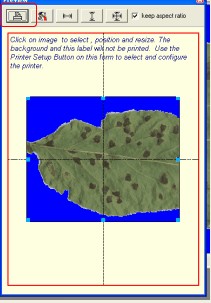
| When the printing form opens, the sizes and aspect ratio are configured based on your default printer and paper. If you need to change the printer and/or the paper size, you must setup them up before printing:
|
|
|
| Printer setup: on the printing form, click on the setup button. This button is labeled with an icon containing a set of tools.
|
|
|

|
|
|
| The printing is WYSIWYG (what you see is what you get). A set of self-explanatory buttons is available to center the image on the form.
|
| To Print, click on the "Printer" button on the printing form.
|
|
|
|
|
|